
The Paycheck Stub Generator
Built for Accuracy & Speed
Automatic federal, state & local tax calculations for all 50 states. Trusted by 150K+ businesses, freelancers, and HR teams. First stub always free — no watermarks, no subscriptions.
4.9/5 from 1,200+ verified reviews
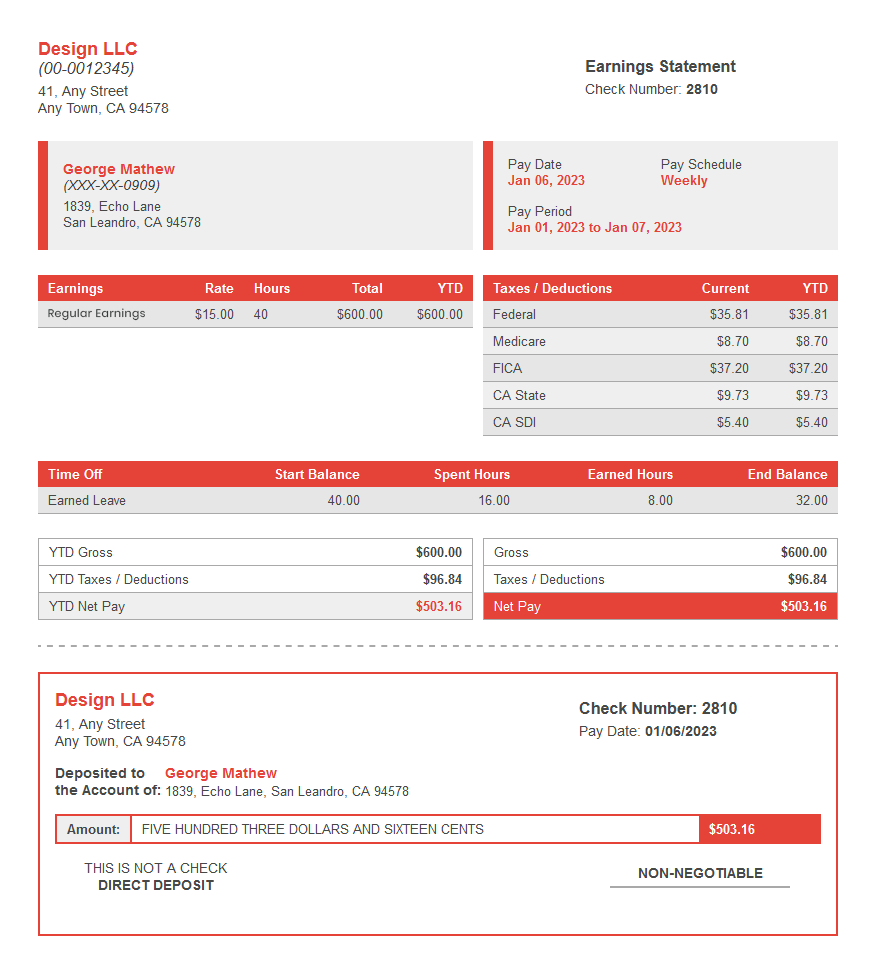
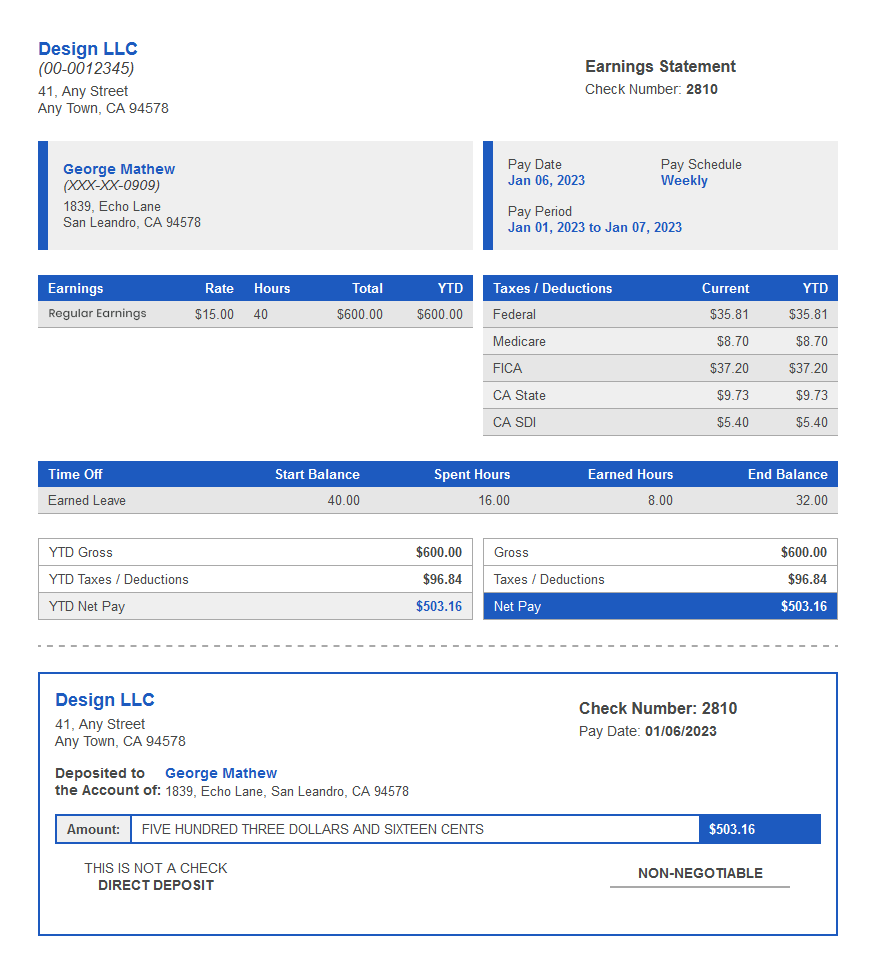
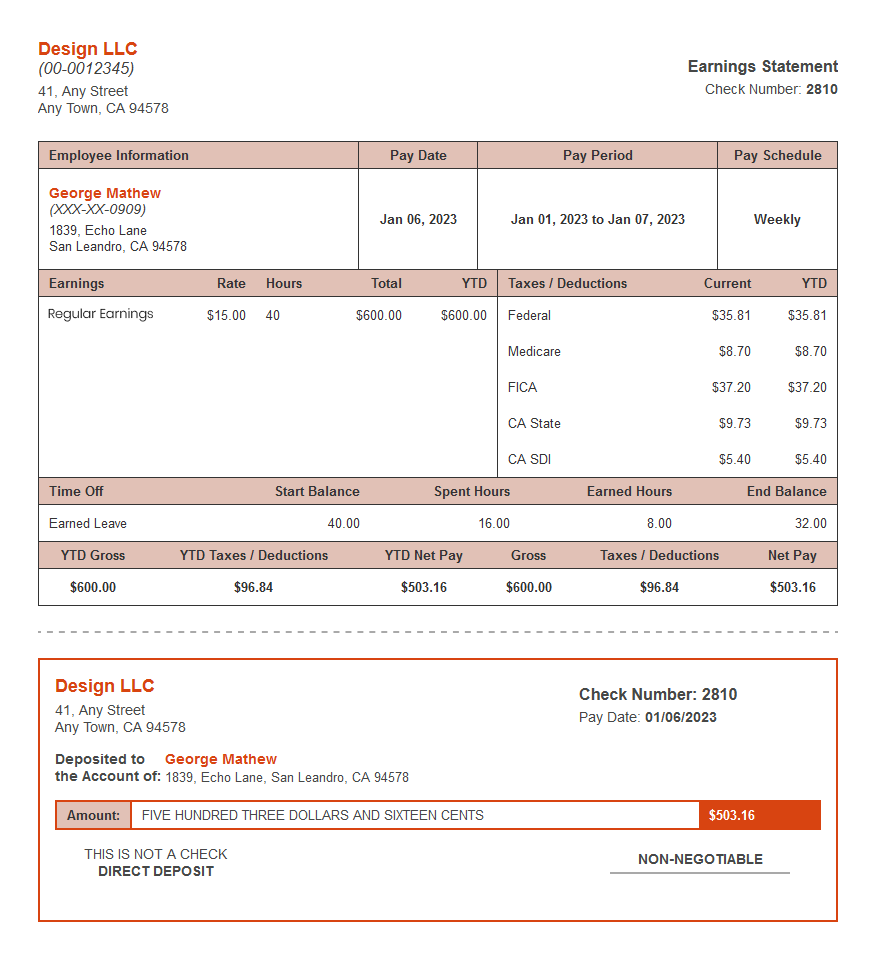
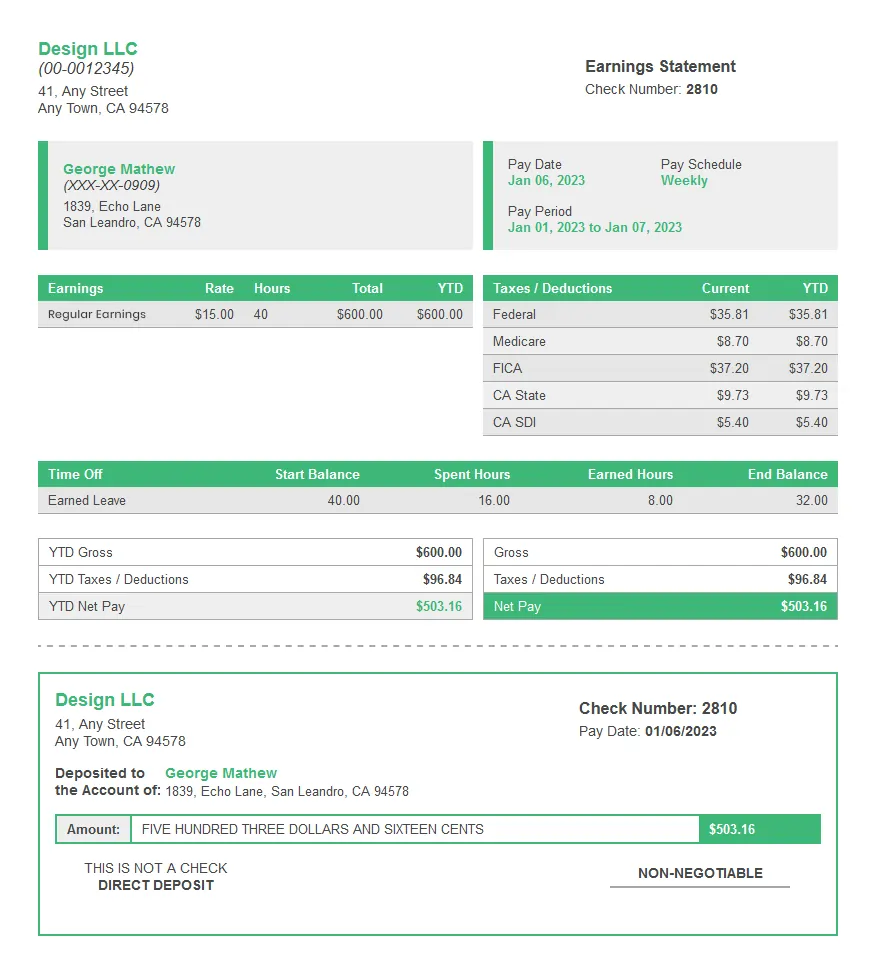
What is a paycheck stub?
A paycheck stub (also called a pay stub, paycheck statement, or earnings statement) is a document provided with each paycheck that details an employee's compensation for a specific pay period. It shows gross earnings, all federal and state tax withholdings, FICA contributions (Social Security and Medicare), voluntary deductions such as health insurance or 401(k), and the final net take-home pay. Paycheck stubs serve as official proof of income for loan applications, apartment rentals, and tax records.

How It Works
Create a Paycheck Stub in 3 Simple Steps
No experience needed. Our paycheck stub generator guides you through every field and auto-calculates taxes, so you get a professional stub in minutes.
Enter Company & Employee Details
Provide your business name, EIN or SSN, employee information, pay period, and salary details to start creating your professional pay stub.
⏱ ~1 minute
Add Earnings & Deductions
Add overtime, bonuses, commissions, and deductions. Taxes, including federal income tax, Social Security, Medicare, FICA, and state taxes, are calculated automatically.
⏱ ~2 minutes
Preview, Download & Send
Preview your professional pay stub, then instantly download a print-ready PDF or email it directly to your employee.
⏱ ~1 minute
Features
Everything Your Paycheck Stub Needs
Built for accuracy, compliance, and professionalism — so you never have to worry about payroll math again.

Free templates
25+ Built-In Paycheck Stub Templates
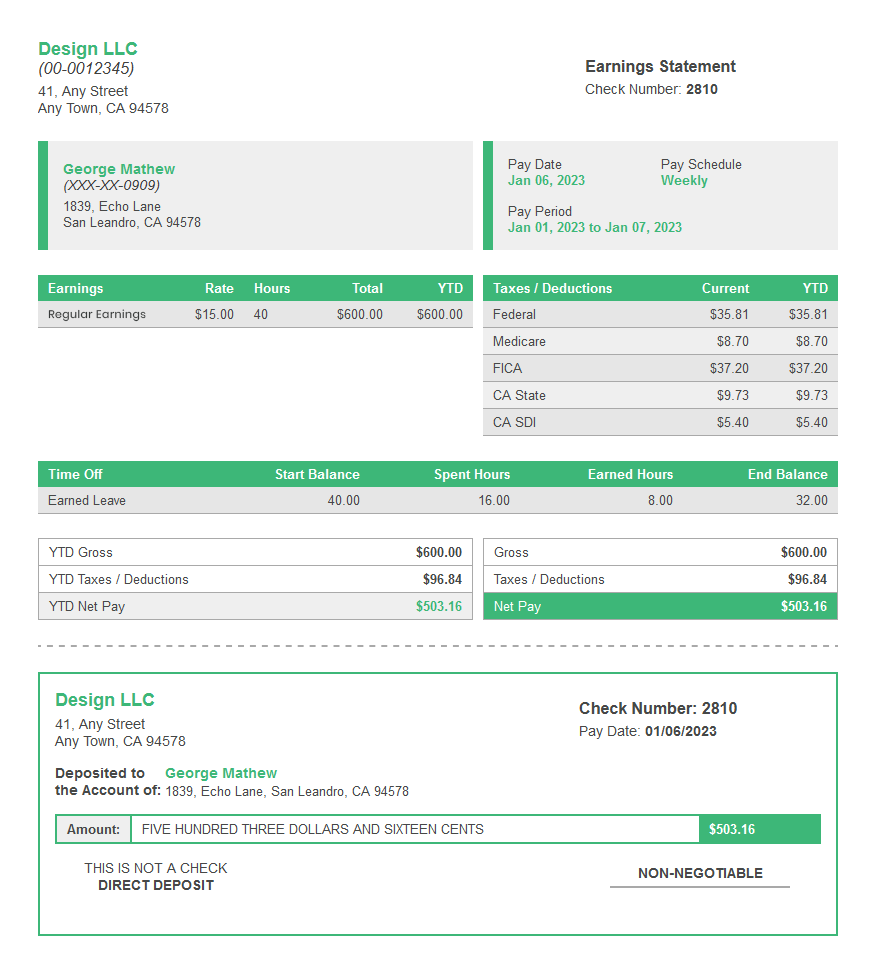
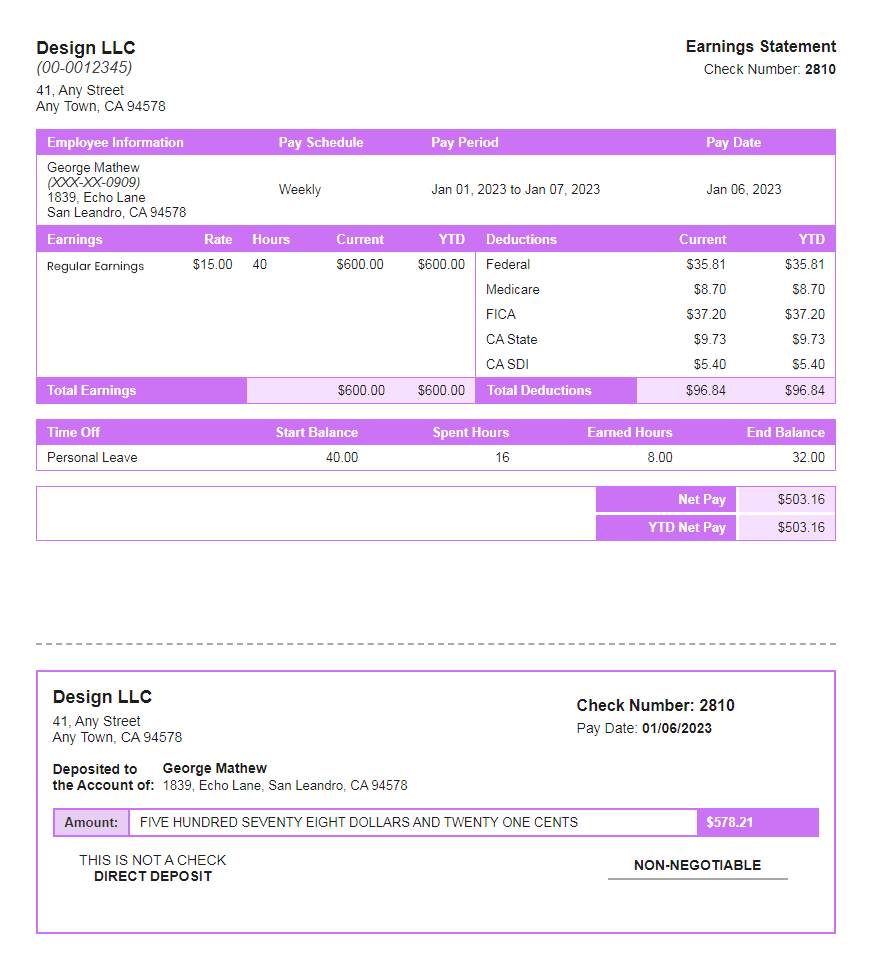
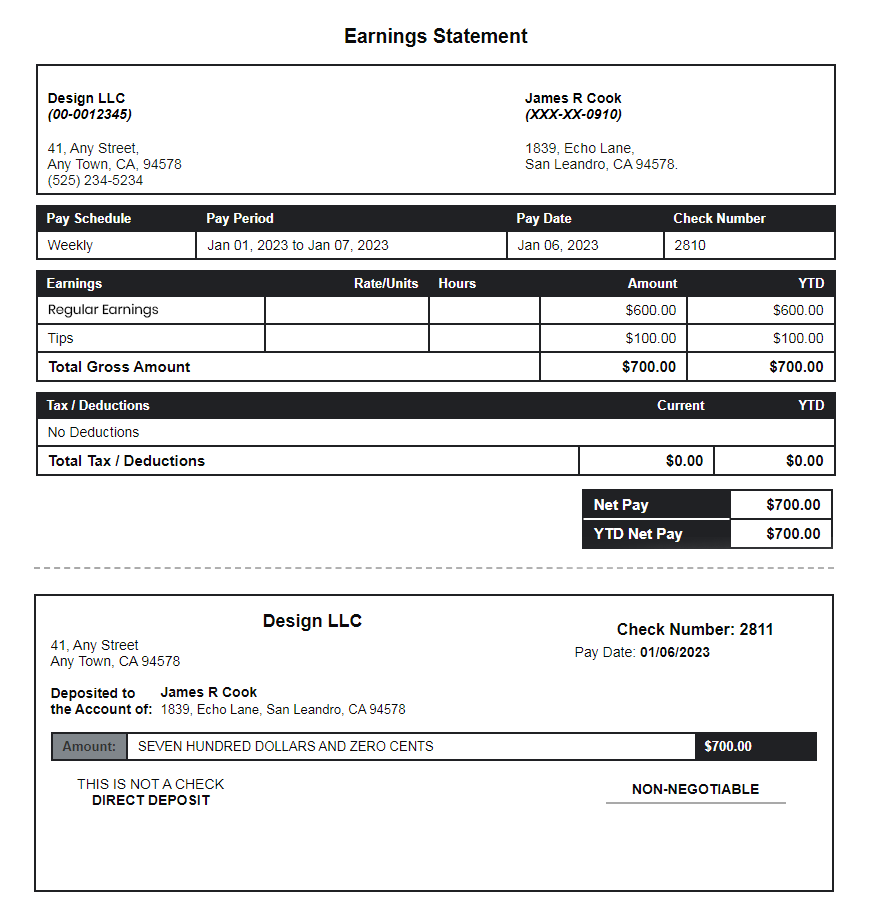
Choose from 25+ professionally designed paycheck stub templates, pick your preferred template, enter your information, and download a polished, print-ready pay stub in minutes.
Who It's For
A Paycheck Stub Maker for Every Situation
Whether you're a business owner, freelancer, or individual — SecurePayStubs has you covered.

Small Business Owners

Independent Contractors & Gig Workers

Self-Employed Professionals & Freelancers

HR & Payroll Professionals

Individuals Needing Proof of Income
Verified Customer Reviews
Verified Customer Reviews
Trusted by 150,000+ Businesses & Professionals
"I needed a paycheck stub fast for a mortgage application. SecurePayStubs had it done in minutes and it was accepted by the lender without any questions. Incredible tool."
Marcus R.
Freelance Consultant · Texas
"As a small business owner with 12 employees across 3 states, the multi-state tax calc is a lifesaver. No more spreadsheet nightmares. This is accurate every single time."
Sandra L.
Owner, Bloom Retail Co. · Florida
"Simple, clean, professional. My first stub was free and I was impressed enough to keep using it for all our contractors. The templates look way better than what our old payroll software produced."
Daniel J.
HR Manager · New York
FAQ
Useful Information
Everything You Need to Know About Creating and Using Paycheck Stubs
Paycheck stub vs. paycheck: what's the difference?
| Feature | Paycheck stub (pay stub) | Paycheck |
|---|---|---|
| What it is | A detailed record of how pay was calculated — earnings, taxes, deductions, and net amount | The actual payment — physical check or direct deposit transferring funds to the employee |
| Contents | Gross wages, FICA, federal tax, state tax, deductions, YTD totals, net pay | The dollar amount paid and the payment date |
| Legal purpose | Proof of income, payroll compliance, tax filing reference | Method of payment; may be legally required in many states |
| Who needs it | Employees (for records), employers (for compliance), lenders, landlords | Employees (to receive wages) |
| Format | Paper or electronic document with itemized line items | Paper check, direct deposit, or pay card |
What should a paycheck stub include?
- Employee name and SSN (last 4 digits only)
- Employer name, address, and EIN
- Pay period dates (start and end)
- Pay date (when payment is made)
- Gross wages (total before deductions)
- Overtime and bonus earnings, if any
- Federal income tax withheld (FWT / FIT)
- State income tax withheld (SWT / SIT)
- Social Security tax (OASDI — 6.2%)
- Medicare tax (HI — 1.45%)
- Voluntary deductions (health insurance, 401k, HSA)
- YTD totals for earnings and all deductions
- Net pay (take-home amount)
- Hourly rate and hours worked (required in many states)
- PTO balance (required in some states)
- Pay type (hourly, salary, 1099, etc.)
Paycheck stub abbreviations explained
| Abbreviation | Full name | What it means on your paycheck stub |
|---|---|---|
| FICA | Federal Insurance Contributions Act | FICA on a paycheck stub is the combined Social Security (OASDI, 6.2%) + Medicare (HI, 1.45%) tax — totaling 7.65% of gross wages. Your employer matches this exact amount. FICA is mandatory for almost all employees and cannot be waived. |
| OASDI | Old Age, Survivors, and Disability Insurance | OASDI on a paycheck stub is the official name for Social Security tax. The rate is 6.2% on wages up to the annual wage base ($184,500 in 2026). You may see it labeled "Soc Sec," "SS Tax," or "OASDI" depending on your payroll system. |
| GTL | Group Term Life Insurance | GTL on a paycheck stub is the taxable imputed income for employer-provided life insurance coverage exceeding $50,000. The dollar amount shown is the value of excess coverage, which is added to your taxable wages and subject to FICA and income taxes. It is not a cash deduction from your pay. |
| YTD | Year-To-Date | YTD on a paycheck stub shows cumulative totals from January 1 through the current pay period — for gross earnings, each tax, and every deduction. YTD figures are what you reconcile against your W-2 at year end. Most states legally require YTD figures on pay stubs. |
| FWT / FIT | Federal Withholding Tax / Federal Income Tax | Federal income tax withheld from each paycheck based on your W-4 filing status (single, married filing jointly, etc.) and withholding elections. Varies by income bracket and allowances claimed. |
| SWT / SIT | State Withholding Tax / State Income Tax | State income tax withheld. Rates and rules vary by state. Nine states (TX, FL, WA, WY, SD, NV, AK, NH, TN) have no state income tax, so this line may be $0.00 or absent on your stub. |
| HI / Med | Medicare / Health Insurance | Medicare tax at 1.45% of gross wages. An additional 0.9% applies to wages over $200,000. "HI" (Hospital Insurance) is the formal Medicare label. Separate "Health Ins" or "Med" lines may also represent employer health insurance deductions. |
| PTO / VAC | Paid Time Off / Vacation | Accrued and used paid time off or vacation hours. Some states (like California) require PTO balance disclosure on every pay stub. "VAC" = vacation, "SIC" or "SL" = sick leave, "PTO" = combined time off. |
| 401(k) / 403(b) | Retirement Contribution Plans | Pre-tax retirement contributions deducted before federal and state income taxes are calculated, reducing your taxable income for the period. Roth 401(k) contributions are after-tax and shown separately on some stubs. |
| EIN | Employer Identification Number | The nine-digit federal tax ID number assigned to your employer by the IRS. Required on every compliant paycheck stub. Employees use the EIN when filing their tax return or verifying employment. |
| OT | Overtime | Wages paid at 1.5x (time-and-a-half) the regular rate for hours worked over 40 in a workweek under the Fair Labor Standards Act. Some states require daily overtime rules (e.g. California: OT after 8 hours/day). |
| HSA / FSA | Health Savings Account / Flexible Spending Account | Pre-tax contributions to health spending accounts. HSA contributions are excluded from federal income tax, Social Security, and Medicare taxes. FSA contributions reduce federal income tax only. |
How long should you keep paycheck stubs?
| Who | Recommended Retention Period | Reason |
|---|---|---|
| Employee — General Records | At least 1 year | Long enough to reconcile your year-end Form W-2 and identify any payroll discrepancies before the tax filing deadline. |
| Employee — For Tax Purposes | 3–7 years | The IRS generally has up to 3 years to audit a tax return after it is filed, 6 years if income is underreported by more than 25%, and up to 7 years for certain bad debt or worthless securities claims. |
| Employee — Proof of Income | Until no longer needed | Keep paycheck stubs used for mortgage applications, lease agreements, loan approvals, or other income verification until those obligations are complete. |
| Employer — Payroll Records | Minimum 3 years | Required under the FLSA to maintain payroll, wage, and hour records for employees. |
| Employer — FICA and FUTA Tax Records | 4 years | IRS regulations require employers to retain employment tax records, including FICA and FUTA payroll tax documentation, for at least four years. |
| Employer — State Compliance | 4–6 years (varies by state) | Some states, including California and New York, require employers to retain payroll records longer than federal law. Always verify your state's specific record retention requirements. |
Why Use a Paycheck Stub Generator?
- Accuracy: Tax calculations are automatically updated to reflect current federal and state payroll laws.
- Speed: Generate a complete, compliant paycheck stub in under 4 minutes.
- Professionalism: Choose from multiple templates to produce polished stubs that reflect your brand.
- Compliance: Stubs include all required fields—gross pay, deductions, YTD totals, and net pay—to help meet employer recordkeeping obligations.
Are Employers Required to Provide Paycheck Stubs?
Your First Paycheck Stub Is Free
Create a professional pay stub in minutes with automatic tax calculations, customizable templates, and watermark-free PDF downloads. No subscription required.
Use
CODE
FIRSTSTUB
for your free first stub